Endpoint & mobility
Every device that touches your data, enrolled and accounted for — laptop, phone, tablet or rugged handheld, corporate or personal. From the box it arrives in to the day it is securely wiped.
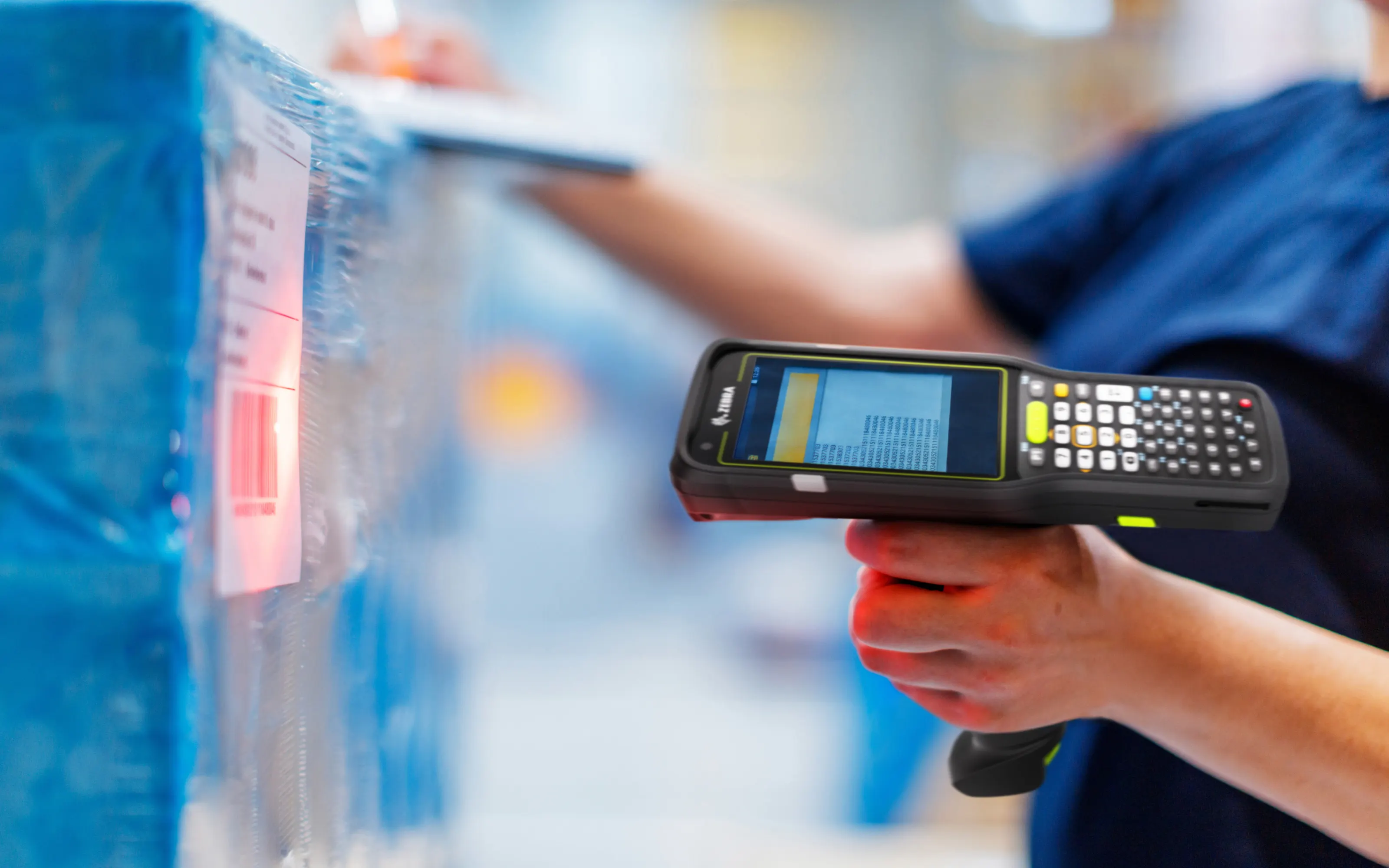
This is the discipline we were built on
Before Next Cyber, our founder led professional services at Ivanti — a global vendor in unified endpoint and mobile device management — delivering enrolment programs across government and enterprise fleets, including environments where devices go into places with no reliable network and no IT staff within four hundred kilometres. He remains a Microsoft Certified Trainer and holds hands-on delivery experience across the UEM platforms most Australian organisations are actually running, not just the one most resellers happen to sell.
That background shows up in unglamorous ways: we plan for the device that fails enrolment, the user who factory-resets their phone on holiday, the depot that ships fifty handhelds to the wrong state, and the executive who will not accept a work profile on a personal phone.
Most MDM projects do not fail technically. They fail at enrolment logistics and at the conversation with the people whose devices are being managed.
We are not locked to one vendor, so you do not have to be either
A lot of "endpoint management" providers can only actually run the one platform they resell. We deploy, administer and migrate between all of the following, and pick the one that fits your environment rather than the one that pays us the best margin.
- Microsoft IntuneWindows, Autopilot, Entra-native environments
- Ivanti EPMMLong-established, strong in regulated and government fleets
- Ivanti Neurons for MDMIvanti's cloud-native successor platform
- Omnissa Workspace ONEFormerly VMware Workspace ONE — enterprise UEM
- IBM MaaS360UEM with built-in mobile threat management
- Jamf Pro & Jamf NowApple-first fleets, from SMB to enterprise scale
- AddigyLightweight Apple device management for smaller fleets
- Android EnterpriseFully managed, dedicated and work profile modes
- Rugged & purpose-builtZebra, Honeywell and Datalogic handheld fleets
Apple Premium Technical Partner · Samsung Knox specialists · Android Enterprise Partner
The platform matters less than most vendors imply, and the migration between platforms matters more than most vendors are actually equipped to help with — see how we run a UEM migration without a compliance gap.
MDM manages the device. It does not watch what happens on it
Device management enforces policy — encryption on, screen lock required, unapproved apps blocked. It was never built to detect a phishing link in a text message, a malicious configuration profile, or a device connected to a rogue network at an airport. That is a different discipline, mobile threat defense, and we run it alongside MDM/UEM rather than assuming enrolment alone covers the risk.
We deploy Zimperium and Lookout MTD depending on the fleet, both of which detect on-device threats — phishing, malicious apps, network and OS-level attacks — in real time and can trigger a compliance action in your UEM automatically when something is found. See why MDM and MTD are not the same control for the full distinction.
Six stages, and we own every one
Most providers pick up at stage three and drop off after stage four. The cost and the risk live at both ends.
-
Specify
Standard builds by role, so you are buying three configurations rather than thirty. Sized for a realistic four-year life, not the cheapest unit price today.
-
Procure & register
Purchased through distribution and registered to your Autopilot, Apple Business Manager or zero-touch account before it ships — so it enrols itself on first power-on.
-
Enrol
Zero-touch where the platform supports it. The device arrives at the user's home or desk, they sign in, and it configures itself. No imaging bench, no shipping to head office first.
-
Configure & comply
Baseline security policy, encryption, applications delivered by role, and a compliance state that conditional access can act on — a non-compliant device loses access to company data automatically.
-
Maintain
Patch rings, application updates, certificate renewal, drift detection, and warranty tracking so a fleet-wide fault is identified as a fleet-wide fault.
-
Retire
Selective wipe for BYOD, full wipe and deregistration for corporate, asset register updated, and certified data destruction with a certificate for your records.
BYOD, handled without reading anyone's photos
The fastest way to lose a BYOD rollout is for one person to believe you can see their personal messages. Usually they are wrong, and occasionally they are not.
- Work profile containerisation on Android and user enrolment on iOS — corporate data lives in a separate, encrypted container.
- Selective wipe only. On offboarding we remove the work container. Personal photos, messages and applications are untouched and untouchable.
- A written statement of visibility issued to every enrolling user, listing precisely what the organisation can and cannot see.
- No location tracking on personal devices. On corporate and shared devices it is enabled only where there is a stated operational reason.
- Conditional access as the enforcement point, so an unenrolled personal device gets browser-only access rather than a hard block.
- An opt-out path for staff who decline enrolment — usually a corporate-supplied device, because the alternative is unmanaged access.
What people ask
We have Intune licensed but never deployed it. Can you pick it up?
That is one of our most common engagements. It is usually two to four weeks: review what is half-configured, define the policy baseline, pilot with a group who will tell you honestly when something breaks, then enrol in waves by department.
We are on Ivanti, Workspace ONE or MaaS360 already. Do we need to move to Intune?
No. We administer all of them directly, and a platform that is properly configured and actually being used beats a "better" platform nobody has finished deploying. Migration is worth discussing when the current platform is unsupported, end of life, or genuinely not fit for your device mix — not by default.
Can you manage devices we did not supply?
Yes, though existing devices need manual enrolment rather than zero-touch, which is more work per device. We usually run existing hardware through manual enrolment and register everything purchased from that point onward, so the fleet converges over a refresh cycle.
What about devices with no reliable internet?
Staged provisioning before dispatch, offline-capable policy, and enrolment profiles that tolerate long gaps between check-ins. For field and logistics fleets we also set compliance grace periods so a device does not lose access because it spent four days out of coverage.
How do you handle shared devices?
Shared device mode for frontline workers, so sign-out genuinely clears the session and the next person does not inherit the last person's mailbox. For kiosk and single-purpose devices, a locked-down configuration exposing only the applications required.
How many devices can you actually account for
The assessment includes a full device and enrolment audit. The gap between the asset register and reality is usually the interesting part.